
Query knowledge from anywhere
E-learning solutions for media-based learning
VIMP offers multiple ways to transport knowledge, based on media: Either use the built-in VIMP features or easily connect VIMP to your learning management system (LMS).
Video-based knowledge transfer
VIMP as a media-based knowledge database
The easiest e-learning case of application for VIMP is to use it as a knowledge database for your employees. Media can be catalogued in different ways, e.g. via channels, albums, groups or categories.
Clearly definable media permissions ensure that each participant can only access those media files that he or she is authorized to. There are manifold ways to use VIMP for knowledge transfer within your company.
There are manifold ways to use VIMP for knowledge transfer within your company.
VIMP Enterprise and VIMP Campus can be used as a media-based knowledge database out-of-the-box.
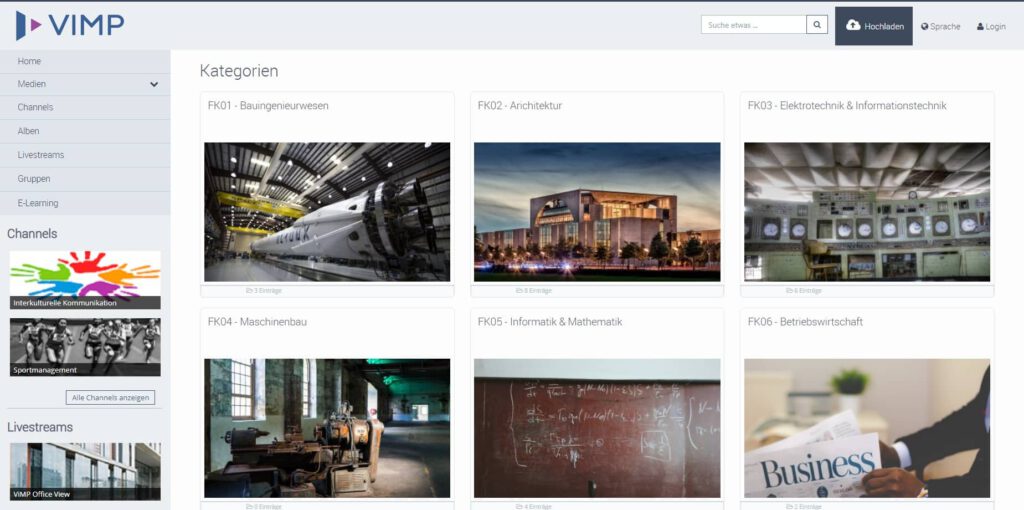
LMS extension
VIMP extents your Learning Management System (LMS) with video functionalities. Simply embed videos into your learning courses and upload media directly in the LMS.
Media permissions will be considered completely, ensuring that media files are only accessible to authorized course participants. Permission verification is implemented via Single Sign On (SSO) between the LMS and ViMP.
The Moodle and ILIAS plugins are available free of charge for VIMP Enterprise and VIMP Campus.

VIMP Moodle Plugin
Videos can be embedded into Moodle either as resources or within activities.

VIMP ILIAS Plugin
With ILIAS we support another popular Learning Management System, enabling you to embed videos into learning courses.
VIMP as a Learning Management System
With VIMP Corporate and the VIMP E-Learning extension you obtain a complete Learning Management System (LMS), allowing you to create learning courses with an unlimited number of learning media.
The E-Learning Extension is included in VIMP Campus and available separately for VIMP Enterprise.
- Each learning medium can be linked to a questionnaire which can be evaluated by the system automatically, if desired.
- Learning courses can be accessible for public audience or for a closed group of users only.
- Supplementary documents can be uploaded to learning courses and learning media.
- “Coaches” can support “teachers” within a learning course.
- After a participant has finished a learning course successfully, a certificate can be sent our automatically.
The e-learning extension allows you to create learning courses with an unlimited number of learning media within VIMP.
It helps you to query the knowledge of your employees or students with video-based learning courses.
Learning courses can be public or private. You can easily limit the participant number to individually invited users. Furthermore, you can limit the availability of learning courses to a specified period of time.
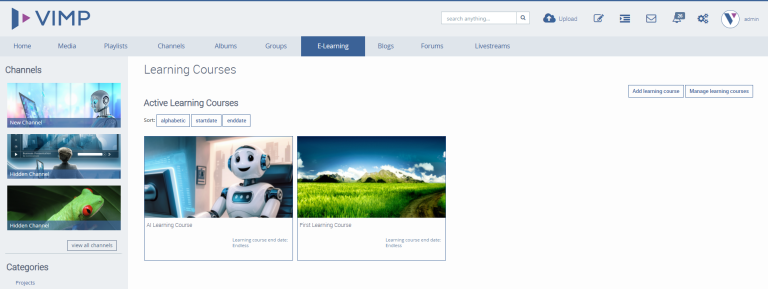
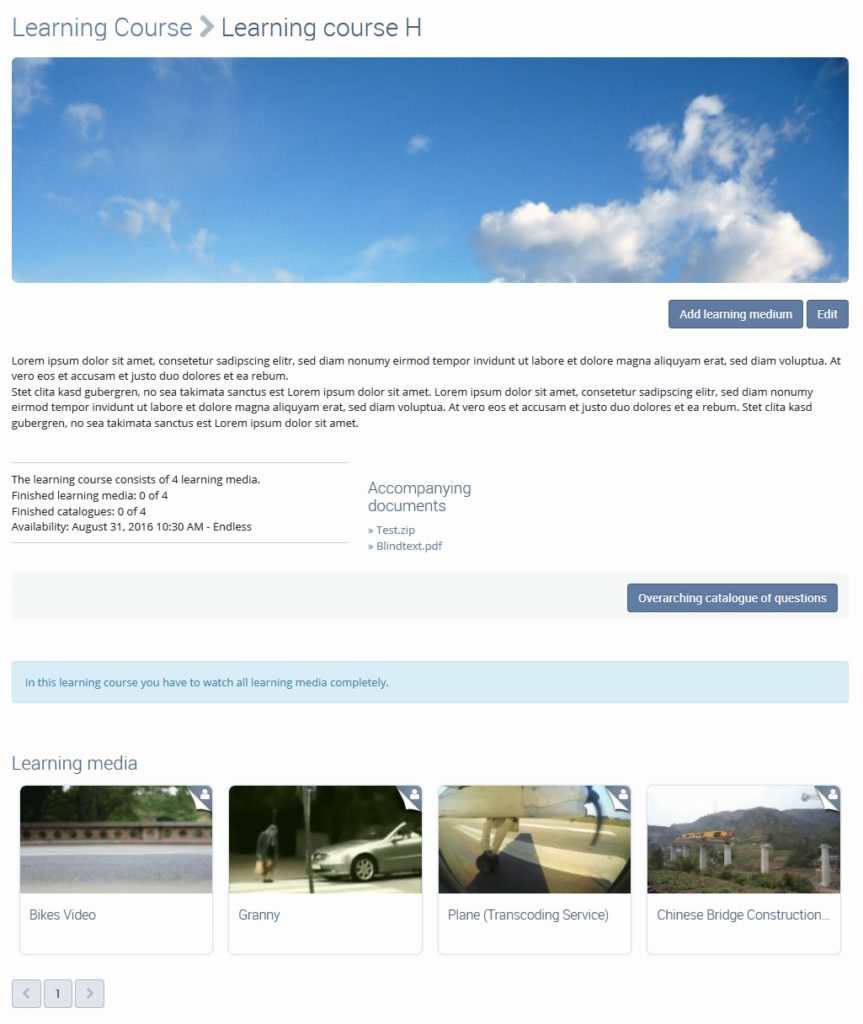
Each learning course can be configured very individually. Amongst other settings you can upload a custom cover image, enable questionnaires, upload additional documents or define an individual learning media sequence.
In addition to the learning media questiannaires, an overaching questionnaire can be added, having to be answered by the participant at the end of the learning course.
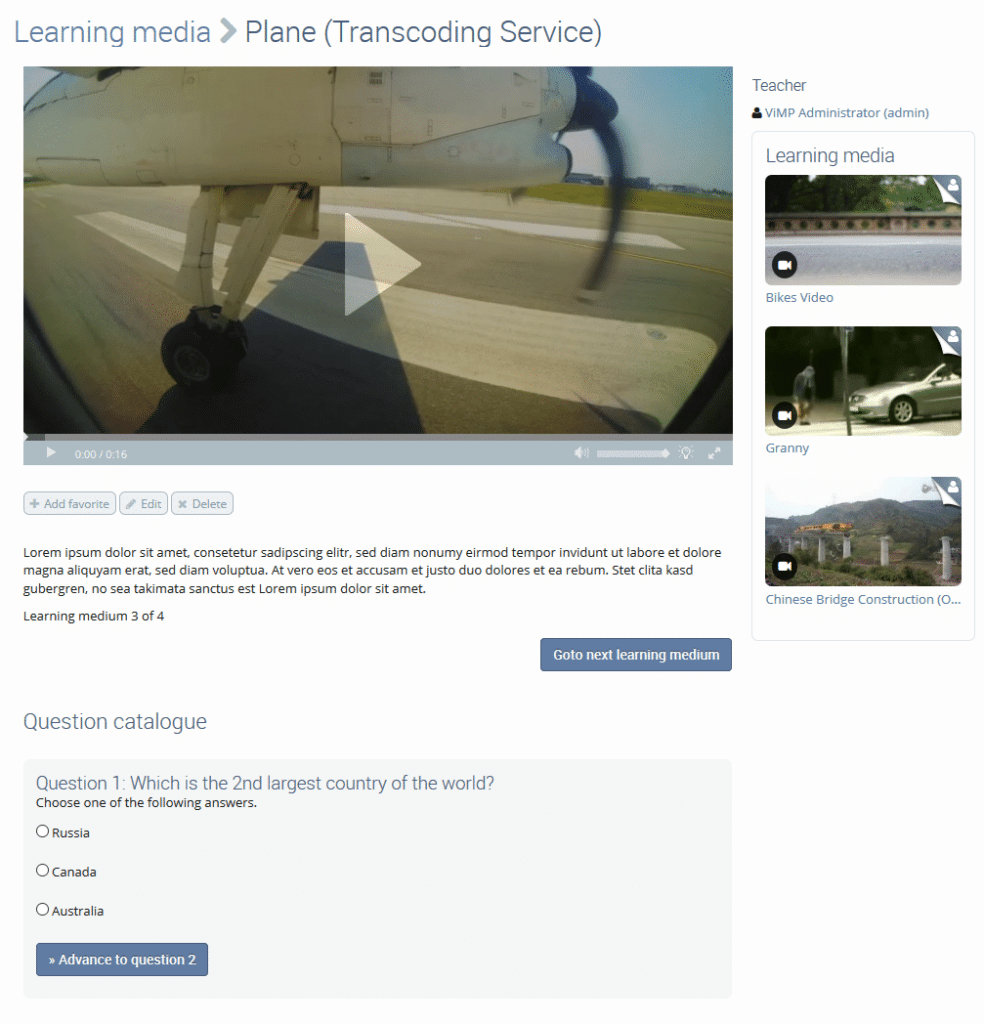
Learning media can be configured individually as well. You can add questionnaires to each learning medium. You can oblige the participants to view the complete video and answer the questionnaire before being able to go on with the next medium.
Questionnaires can contain three types of questions: single choice, multiple choice or open questions. Single choice and multiple choice answers can be evaluated automatically, open questions have to be checked by a teacher or coach. At the end of the learning course period a certifiacte can be sent automatically to the participant, if he or she reached the minimum score.
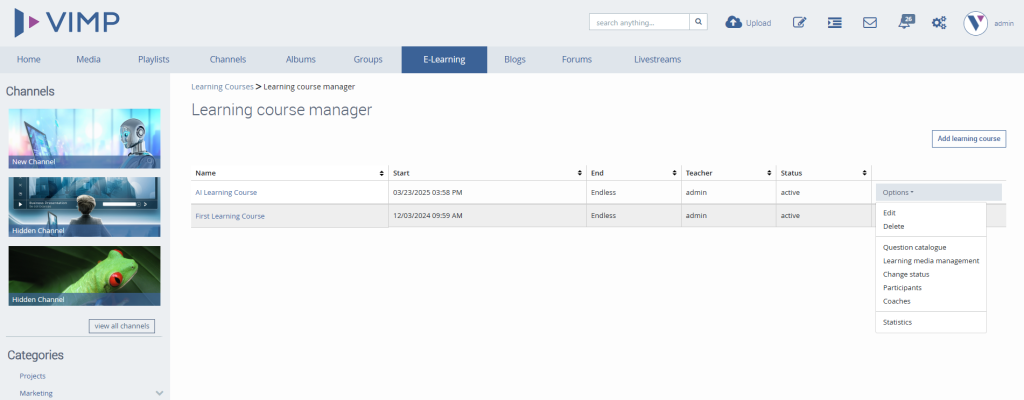
Special users of VIMP, so called Teachers, are permitted to create learning courses. Within the learning course manager they have multiple configuration options to manage their courses, media and participants.
In addition, they can nominate Coaches that help them with evaluating the learning courses and manage the participants.
Contact us
Learn more about our E-Learning solutions and how they integrate into your environment:
We will be happy to advise you and can provide short-term solutions!
or call us:
+49 (89) 12001020
Digital onboarding and offboarding with VIMP
VIMP and our E-Learning extensions are great for employee onboarding, training, and internal knowledge transfer!
Easily create and share welcome videos, software training, webinars, livestreams, and how-to videos. Your employees can learn from anywhere, at any time, and access relevant information from anywhere.
Discover more about how VIMP can help you with your digital onboarding and offboarding processes.

More resources
Whitepaper
Requirements
Contact sales
Request Whitepaper E-Learning
Minimum server requirements to install VIMP
Webserver
- Apache2 / Version 2.4 recommended
- or NGINX
PHP
- Version 8.1 – 8.3
- GD library, openssl, cURL, MySQL, mbstring, PDO, pdo_mysql and XSL extensions must be installed
- PHP CLI (Command Line Interface) must be installed
- SourceGuardian Extension (except for VIMP Ultimate Extended)
MySQL/MariaDB
- MySQL: At least version 8.0
- MariaDB: At least version 10.2
- InnoDB must be installed
Transcoding
The transcoding tools should be installed exactly as described in the documentation. Due to patent protections it’s not sufficient to install the default packages.
- FFmpeg
- FFProbe
- exiftool (>10.8)
- time
CSS customizations
In order to concatenate modified CSS files, npm must be installed.
Hardware
As a minimum requirement we recommend:
- Quad Core processor
- 8 GB RAM
- 500 GB hard disc space (the actual capacity needed depends on the number of media)
For productive use we recommend
- Hexa-Core processor or better (more cores allow especially a faster transcoding of media)
- 32 GB RAM or more
- 2000 GB hard disk space or more (the size required depends mainly on the number of media)
For additional data security, we recommend using a RAID controller.